
What Is TOTP? How Authenticator Codes Work and Beat SMS
What is TOTP? A plain guide to how authenticator codes are made, why they beat SMS against SIM swaps, and how to move them to a new phone safely.
TOTP (Time-based One-Time Password) is the open standard behind authenticator-app codes. Your app and the website share a secret key, and both combine it with the current time to produce a short code that usually changes every 30 seconds. The code is made on your device and never travels over the phone network, so a SIM swap or intercepted text cannot reveal it.
This guide is for anyone who uses two-factor authentication on social media, gaming or email accounts, and especially for people buying or selling an account, where 2FA is easy to get wrong. It explains how the codes are generated, why they beat SMS, where they still fall short, how to move them to a new phone, and how to handle 2FA when an account changes hands.
Key takeaways
- TOTP is defined in IETF RFC 6238 (May 2011) and produces codes from a shared secret key plus the current time, with a default time step of 30 seconds.
- Authenticator codes are generated on your device (Google confirms Google Authenticator works without internet or mobile service), so SIM swaps and SMS interception cannot capture them.
- As of December 2025, CISA's guidance says "Do not use SMS as a second factor for authentication," but notes authenticator codes can still be phished and only FIDO authentication is phishing-resistant.
- Adding an authenticator app does not automatically remove SMS from an account, so you have to switch off the SMS fallback yourself.
- Moving an authenticator to a new phone really means moving the secret keys, which is why the transfer QR code should never be screenshotted or shared.
- When an account changes owner, the new owner should run a fresh 2FA setup so that any copy of the old secret stops working.
How does TOTP work?
TOTP works because two parties hold the same secret and read the same clock. When you scan a setup QR code, the website hands your app a secret key. From then on, the app and the server each run that key and the current time through the same algorithm, and they arrive at the same code independently. Nothing is sent between them when the code is created.
Technically, RFC 6238 builds TOTP on top of an older standard called HOTP (RFC 4226). HOTP made codes from an event counter that went up each time a new code was generated. TOTP swaps that counter for time. The formula is TOTP = HOTP(K, T), where K is the shared secret and T is the number of time steps (30 seconds by default) since the Unix epoch (1 January 1970).
Twilio's glossary describes this as symmetric-key cryptography: both sides hold the same key. You will also see TOTP called app-based authentication, a software token or a soft token. Most services use 6-digit codes and the HMAC-SHA-1 hash, but the standard allows other settings.
Why do the codes change every 30 seconds?
The code changes because T, the time counter, ticks up once every 30 seconds by default. RFC 6238 gives a worked example: at Unix time 59 seconds, T equals 1. At 60 seconds, it becomes 2. Since every device does the same division on the same clock, codes using the default settings roll over at the same moment on every device.
The 30-second step is a trade-off. RFC 6238 warns that a larger time step means a larger window in which a code is accepted, and so a larger window for an attacker. Some services also accept a code from the step just before or after to allow for clock drift and network delay. How much slack they allow varies by service, so think of a code as "usually good for about 30 seconds," not a precise countdown.
Why your phone's clock matters
RFC 6238 requires the app and the server to use the same time step, and in practice they also need roughly the same time. If your phone's clock is off by a minute or two, your app computes the counter for the wrong window and the code gets rejected even though the secret is correct. The usual fix is to turn on automatic date and time in your phone's settings.
You can watch this happen in our free 2FA code generator, which sits with our other free tools. Paste a test secret and you will see the code change at the :00 and :30 marks, matching what an authenticator app would show.
Is an authenticator app safer than SMS?
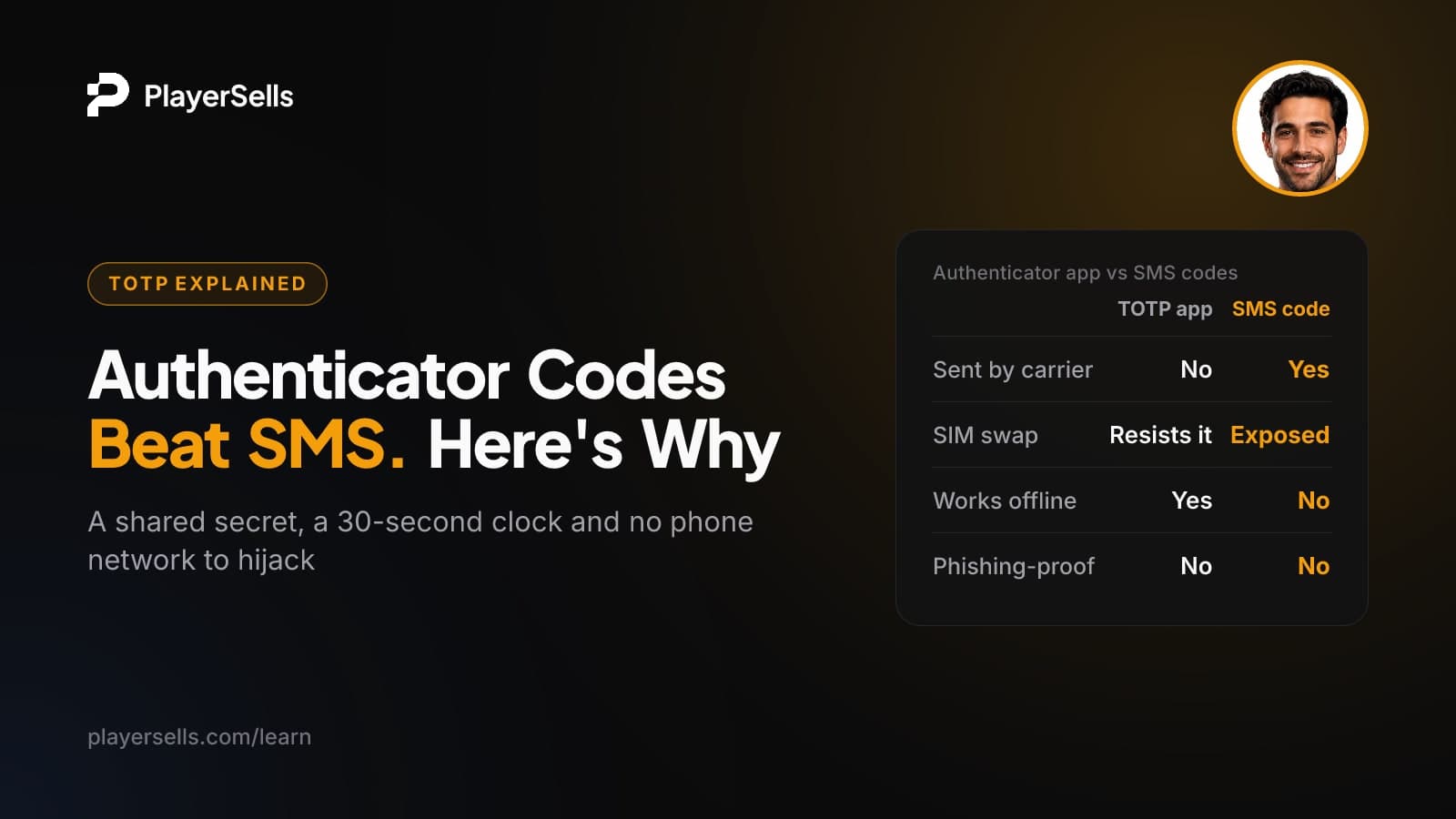
Yes. An authenticator app is safer than SMS because the code never travels through your mobile carrier. SMS codes are generated by the service, sent as an unencrypted text, and delivered to whoever controls your phone number. TOTP codes are calculated on your device. Google confirms that Google Authenticator can generate verification codes without an internet connection or mobile service.
That difference is why the U.S. Cybersecurity and Infrastructure Security Agency is blunt about it. Its Mobile Communications Best Practice Guidance (updated December 2025) says: "Do not use SMS as a second factor for authentication." It explains that SMS messages are not encrypted, that anyone with access to a telecom provider's network can read intercepted messages, and that SMS MFA is not phishing-resistant. The first version of that guidance, published in December 2024, already told people to stop using SMS for MFA.
| Factor | Authenticator app (TOTP) | SMS code |
|---|---|---|
| Where the code is created | On your device | On the service's server, then texted to you |
| Travels over the phone network | No | Yes, unencrypted |
| Needs signal or internet | No | Needs mobile service |
| Exposed to SIM swaps | No, the code is not tied to your number | Yes, texts follow the number |
| Phishing-resistant | No, a fake page can still ask for it | No |
| Main risk | Losing the device or leaking the secret | Number hijacking and interception |
How a SIM swap beats SMS but not TOTP
In a SIM swap, a criminal gets your mobile carrier to move your number onto a SIM they control. As the FBI explains, the victim's calls and texts then go to the criminal's device, which lets them request password resets and use SMS-based 2FA to take over accounts linked to that number.
The scale is real. According to FBI figures reported in February 2022, the IC3 received 320 SIM-swapping complaints from January 2018 to December 2020, with adjusted losses of about $12 million. In 2021 alone it received 1,611 complaints with losses of more than $68 million. Those are U.S. figures only.
A TOTP code is not attached to your phone number at all. Moving your number to another SIM gives the attacker your texts, not the secret key sitting in your authenticator app.
What doesn't TOTP protect against?
TOTP does not stop phishing. If a fake login page tricks you into typing your password and your current code, the attacker can relay both to the real site within that short window. CISA's December 2025 guidance says it directly: authenticator codes are better than SMS but can still be phished, and only FIDO authentication is phishing-resistant.
For less valuable accounts, CISA recommends authenticator codes from a free app such as Google Authenticator, Microsoft Authenticator or Authy. If a service supports passkeys or a FIDO security key, that is the step up for your most valuable accounts. Either way, check the address bar before entering any code.
Setting up an authenticator app does not remove SMS from your account. CISA warns that the old text-message option can stay active as a weak fallback, so disable SMS on each account after you enroll.
This is the gap most guides skip. If SMS is still listed as a backup method, a SIM swapper can choose "send me a text instead" and skip your authenticator entirely. After enrolling, open each account's security or two-factor settings, confirm the authenticator is active, and remove the phone number as a 2FA method where the service allows it.
How do you move Google Authenticator to a new phone?
You can move Google Authenticator either by signing in to your Google Account in the app (automatic sync) or by exporting a QR code from the old phone and scanning it on the new one. Both methods move the same thing: the secret keys. Treat the process with the care you would give a password list.
Option 1: Google Account sync
Google added account sync to Authenticator on April 24, 2023. If you are signed in to your Google Account inside the app, your codes sync to a new device automatically. As of October 2026, Google's help page says this needs app version 6.0 or later on Android, or 4.0 or later on iOS, and that codes are encrypted in transit and at rest.
One piece of history is worth knowing. Right after sync launched, researchers at Mysk warned that it did not use end-to-end encryption and advised users to turn it off until Google fixed it. Google's current wording, "in transit and at rest," is not the same claim as end-to-end encryption. Sync is very convenient, but it does mean your secrets live in your Google Account, so that account needs strong protection of its own.
Option 2: Manual QR transfer
Google's transfer guide requires the old device running the latest version of the app, plus the new device. Labels may vary by app version.
- Step 1: Install or update Google Authenticator on both phones.
- Step 2: On the old phone, open the menu and choose Transfer accounts, then Export accounts. Select the codes you want to move and the app shows a QR code.
- Step 3: On the new phone, go to Menu > Transfer accounts > Import accounts and scan the QR code on the old screen.
- Step 4: Sign in to a few of your accounts with codes from the new phone to confirm they work.
- Step 5: Only then remove the codes from the old phone and wipe or reset it.
That export QR code contains your secrets. Anyone who photographs it can generate your codes until you reset 2FA on those accounts, so never screenshot it, send it to yourself or share it.
Sync or no sync: the real trade-off
If you choose "Use Authenticator without an account," Google removes the codes from your Google Account and keeps them only on that device. That avoids the cloud, but it brings back the problem Google's Christiaan Brand described at the 2023 launch: codes stored on one device mean losing it can lock you out of every service set up with Authenticator.
What happens to your 2FA codes if you lose your phone?
If your codes were synced, you sign in to Google Authenticator on a new phone and they return. If they were stored only on the lost device, they are gone, and the manual transfer will not help because it needs the old phone. You will then need each service's backup codes or account recovery process.
Plan for this before it happens:
- Save the backup codes most services offer when you enable 2FA, and keep them somewhere protected that is not your phone's photo gallery.
- When you set up 2FA, many services also show a text setup key. Storing it securely lets you re-add the account to a new app without the old phone.
- Regenerate backup codes after you use one, or whenever you suspect someone else has seen them.
- Remember that a saved setup key is as powerful as the app itself. Protect it like a password.
Handing over an account? Start a fresh 2FA setup
When an account changes owner, the safest move is a new 2FA enrollment by the new owner, which creates a new secret. TOTP has no idea who is holding the phone. Anyone with a copy of the original secret, whether in an old app, a backup or a screenshot, can keep generating valid codes until 2FA is set up again with a new secret. RFC 6238 requires a unique secret key for each prover (each holder), and a fresh setup is how you follow that rule in practice.
Many platforms' terms of service limit or ban transferring accounts, so check the rules for the platform in question before any handover. Whatever the context, the security steps are the same.
| Handover task | Who does it | Why it matters |
|---|---|---|
| Turn 2FA off and back on with a new authenticator | New owner | Creates a new secret, so old copies stop working |
| Remove the old phone number | New owner | Closes the SMS and recovery route the old holder still controls |
| Disable SMS as a fallback | New owner | Prevents a SIM swap on any number from bypassing the app |
| Regenerate backup codes | New owner | Invalidates codes the previous holder may have saved |
| Change the email and password | New owner | Stops password resets going to the old holder |
| Delete the old secret from their app | Previous holder | Good practice, but never rely on it alone |
If a seller hands over the existing secret so the buyer can log in for the first time, treat that as temporary. The buyer should re-enroll 2FA right away. For platform-specific steps, see our X account transfer checklist and the guide to changing the email and phone on an Instagram account.
How this fits buying or selling on PlayerSells
On PlayerSells, the escrow steps give buyers a natural point to sort out 2FA. Every deal moves through a fixed sequence: offer sent, accepted, payment pending, paid, delivered, buyer confirmed, completed. The buyer's money is held by PlayerSells and the seller is paid only after the buyer confirms delivery, so buyers can run a fresh 2FA setup, remove the seller's phone number and turn off SMS fallback before confirming.
If something does not match, such as a login that still triggers a code on someone else's device, either side can open a dispute before completion. A human moderator reviews it, and the money stays held while the dispute is open. Every listing is also reviewed by a person before it goes live. Read more on how deals work and our safety guidance, and use the 2FA generator or the other free tools while you prepare a handover.
Frequently asked questions
What is the difference between TOTP and HOTP?
HOTP makes codes from a counter that increases with each use, while TOTP makes codes from the current time. RFC 6238 defines TOTP as HOTP with the counter replaced by the number of time steps since the Unix epoch. The practical result is that TOTP codes are short-lived and expire as time moves on, while HOTP codes are tied to events rather than the clock.
Do authenticator apps work without internet or cell service?
Yes. The app only needs the secret key it stored during setup and your phone's clock. Google states that Google Authenticator can generate codes without an internet connection or mobile service, which also makes it handy when travelling.
Can a SIM swap bypass an authenticator app?
Not directly, because the codes are not tied to your phone number. A SIM swap can still succeed if the account keeps SMS as a backup 2FA method or uses your number for password resets. Removing the phone number as a fallback closes that gap.
Why is my authenticator code not working?
The most common cause is a phone clock that is out of sync, which makes the app calculate the code for the wrong 30-second window. Turn on automatic date and time and try again. If it still fails, the account may have been re-enrolled with a new secret, in which case you need to scan the new setup code.
Is Google Authenticator cloud sync safe to use?
It is a reasonable choice for most people as long as your Google Account itself is well protected. Google says codes are encrypted in transit and at rest, though researchers criticised the lack of end-to-end encryption when sync launched in April 2023. If you prefer to keep codes on one device, keep backup codes and setup keys stored safely.
Are passkeys better than TOTP?
For phishing protection, yes. CISA's December 2025 guidance says only FIDO authentication is phishing-resistant, while authenticator codes can still be typed into a fake page. Use passkeys or a security key where a service supports them, and TOTP everywhere else instead of SMS.
Bottom line
If any account you care about still uses text-message codes, switch it to an authenticator app today, then go back into the settings and remove SMS as a fallback. Save your backup codes before you ever need them, and if you are taking over an account, enroll 2FA fresh so no old secret can still open the door.
To see exactly how a shared secret and the clock produce matching codes, try the PlayerSells 2FA code generator with a test key.
Free tools for this topic

Published by the PlayerSells editorial team. Data comes from PlayerSells marketplace records and our own crawlers. About PlayerSells · Editorial policy
Related Articles
Continue learning with these related guides.
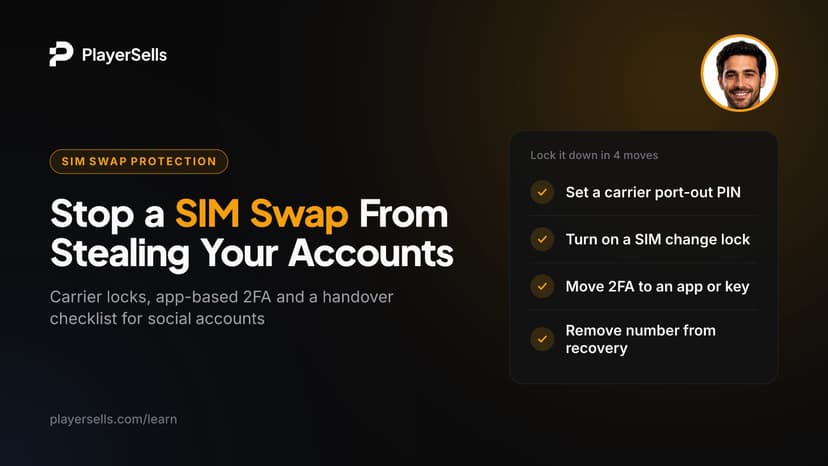
SIM Swap Attacks: How Accounts Get Stolen and How to Stop It
A SIM swap lets criminals receive your SMS codes and reset X, Instagram and TikTok passwords. Learn how to lock your number and switch to app-based 2FA.
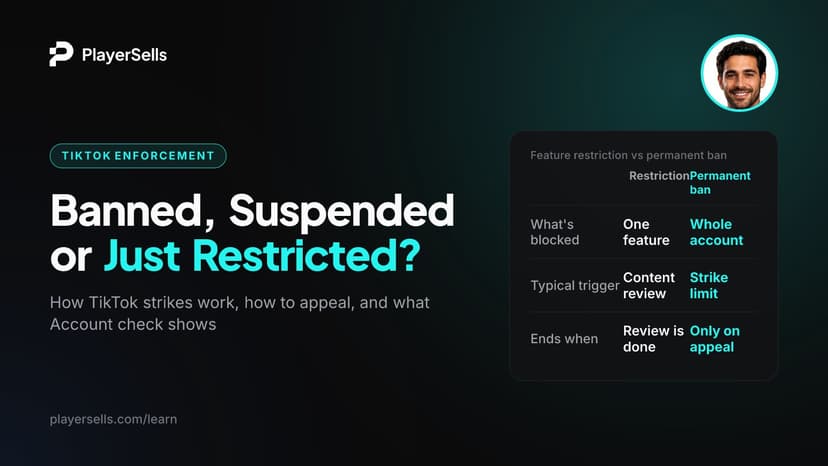
TikTok Account Banned: Ban Types, Appeals and Status Checks
TikTok account banned or just restricted? See how strikes, feature limits and permanent bans differ, how to appeal, and how to read Account check.
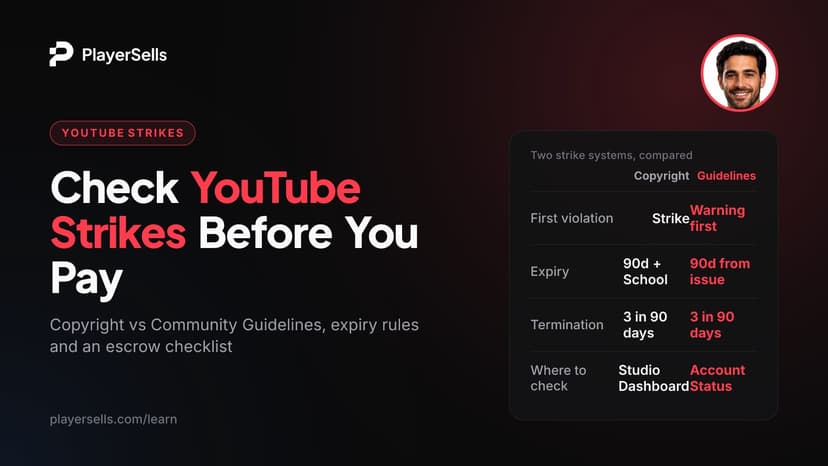
YouTube Copyright Strike vs Guidelines Strike: Buyer's Guide
A YouTube copyright strike and a Community Guidelines strike follow different rules. See how long each lasts, when channels get terminated and how to check.