
YouTube Copyright Strike vs Guidelines Strike: Buyer's Guide
A YouTube copyright strike and a Community Guidelines strike follow different rules. See how long each lasts, when channels get terminated and how to check.
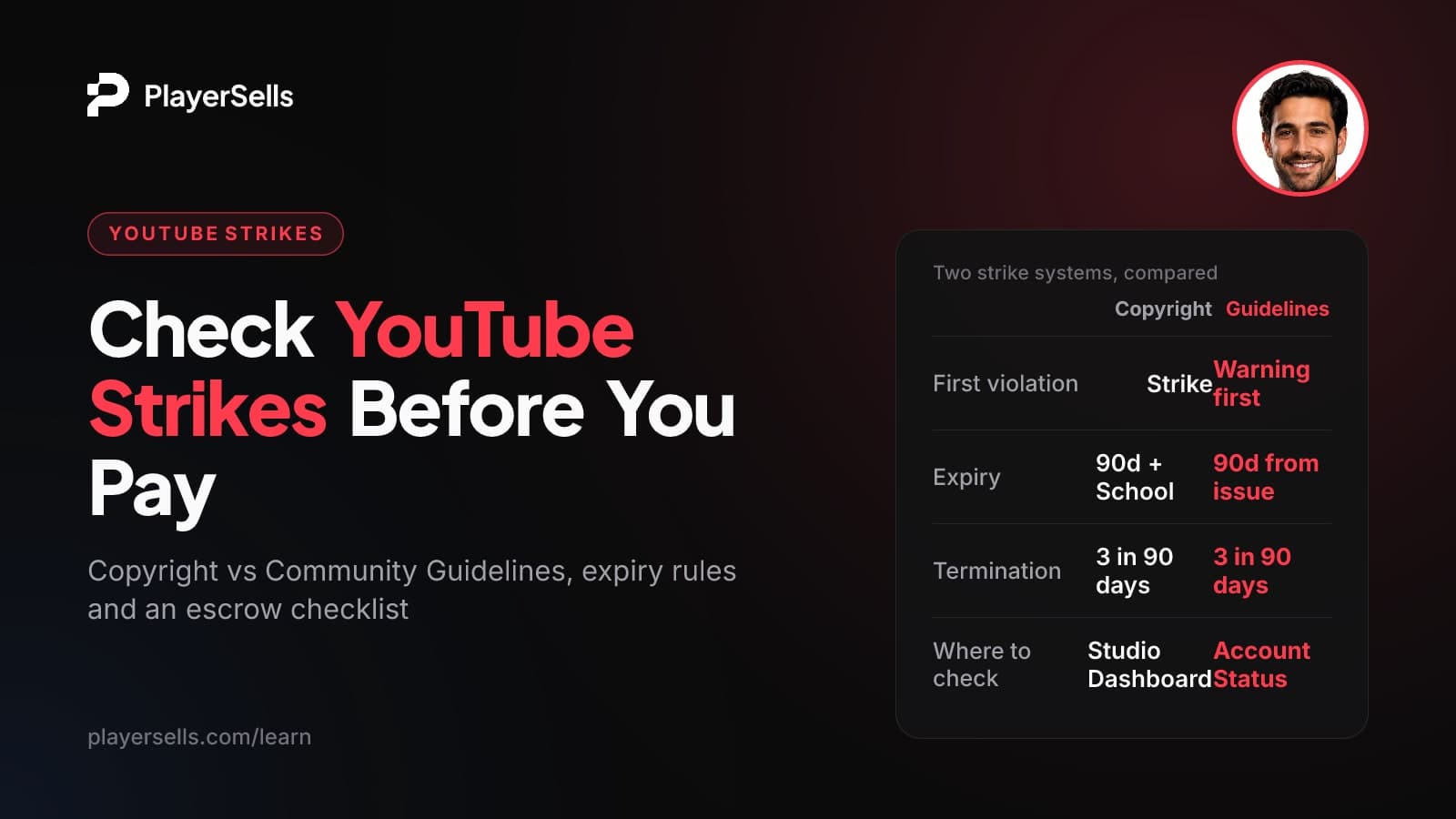
A YouTube copyright strike means a video was removed after a legal copyright removal request. A Community Guidelines strike means YouTube decided content broke its own rules, and a first Guidelines violation is usually only a warning. Both systems can end in termination at three strikes within 90 days, but a copyright strike only expires once the owner completes Copyright School.
This guide is for anyone buying or selling an established YouTube channel who needs to know what a strike really means for the asset. It covers how each strike type works as of October 2026, how long each one lasts, when a channel can be terminated, the risks a simple strike count misses, and a live verification checklist to run while the payment is held in escrow.
Key takeaways
- YouTube runs two separate strike systems: copyright strikes come from legal removal requests, and Community Guidelines strikes come from YouTube's own policy enforcement.
- A YouTube copyright strike does not expire on its own: it expires 90 days after it was applied only if the owner completes Copyright School.
- A first Community Guidelines violation is typically a warning, and a Community Guidelines strike expires 90 days after it was issued.
- Three copyright strikes within 90 days make a channel subject to termination, and three Guidelines strikes in the same 90-day period may get it permanently removed.
- A strike count of zero does not prove a channel is clean, because active warnings, scheduled copyright removals and lost advanced features do not show up as strikes.
- Before paying for a channel, have the owner show YouTube Studio live: the Dashboard's Active copyright strikes, the Studio app's Account Status page and Settings > Channel > Feature eligibility.
What is the difference between a copyright strike and a Community Guidelines strike?
The difference is who triggers them. A copyright strike starts with a rights holder sending a legal removal request. A Community Guidelines strike starts with YouTube itself deciding content broke its policies. According to the YouTube Strikes FAQ, YouTube treats these as separate issues, which is why there are two systems, and it notifies creators of both by email, through mobile and desktop notifications, and inside the channel.
There is also a third thing people confuse with both: the Content ID claim. YouTube's copyright help page states that a copyright strike is different from a copyright claim. When a seller says "it's just a claim," make them show you that it really is a claim and not a strike.
| Factor | Copyright strike | Community Guidelines strike |
|---|---|---|
| What causes it | A legal copyright removal request against a video | YouTube finds content that breaks its Community Guidelines |
| First offense | A strike, unless the request is "scheduled" and the video is deleted within 7 days | Typically a warning, not a strike |
| Penalty | Counts toward termination; each strike's impact is shown in Studio | 1st strike: 1-week posting freeze. 2nd within 90 days: 2-week freeze |
| When it expires | 90 days after it was applied, only if Copyright School is completed | 90 days after it was issued |
| Early removal | Claimant retraction or a valid counter notification | Through YouTube's appeal process |
| Termination | 3 strikes within 90 days: channel "subject to termination" | 3 strikes in the same 90 days "may" mean permanent removal |
| Where to see it | Studio Dashboard: Active copyright strikes | Studio app Account Status page (Strike count or Warning) |
How long does a YouTube copyright strike last?
A copyright strike lasts 90 days from the date it was applied, but only if the owner has completed Copyright School. Skip that step and the strike stays active on the channel. Few guides stress this, and it is the single most important detail for a buyer.
Per YouTube's copyright strikes help page, Copyright School is a short course of 4 questions. Expiry after 90 days also requires the channel to have fewer than 3 copyright strikes. A strike from eight months ago can still be live today if nobody ever completed Copyright School, so never judge a strike by its age alone.
Can a copyright strike be removed before 90 days?
Yes, in two ways. The party that filed the removal request can retract it, or the uploader can submit a valid counter notification. Counter notifications are a legal process. They can involve sharing personal information and can lead to legal action, and the rules vary by country. Treat this as something the current owner handles with proper advice, not something a buyer should inherit mid-dispute.
Does deleting the video remove the strike?
Usually not. There is one exception: if a copyright removal request is marked as "scheduled," the uploader has 7 days to delete the video and avoid the strike. YouTube says this option appears in the strike email from [email protected]. In every other case, deleting the video does not resolve the strike.
How do Community Guidelines warnings and strikes work?
YouTube uses a warning-first system for Guidelines violations: the first violation is typically only a warning, and a repeat violation of the same policy while that warning is active may become a strike that freezes posting. A single case of severe abuse is the exception. It can get a channel terminated with no warning at all.
When does a warning expire?
According to YouTube's Community Guidelines strike basics, a creator can complete an optional policy training, and the warning then expires 90 days after the training is completed. It does not expire 90 days after it was issued. Some secondary guides say warnings "never expire" and others say they last 90 days from issue. Both are wrong per YouTube Help.
Two more details matter. Not every warning is eligible for policy training. And if the channel violates the same policy again within that window, the next violation may become a strike. Violating a different policy earns a new, separate warning.
This per-policy setup is fairly new. YouTube introduced the optional policy training in August 2023. Before that, a channel got one warning for its whole lifetime. YouTube said at the time that it was not relaxing its three-strikes approach.
What happens with a first and second strike?
A first Community Guidelines strike blocks the channel for 1 week from:
- Uploading videos or live streaming
- Scheduling content and creating Premieres
- Creating custom thumbnails or posts
- Editing playlists
Scheduled public content is set to private during the penalty, which starts from the date the creator acknowledges the strike. Privileges return automatically after the week, but the strike stays on the channel for 90 days and may also cost access to advanced features. A second strike within the same 90-day period brings a 2-week freeze. Each strike expires 90 days after it was issued.
If you find older guides describing a 90-day live streaming freeze on a first strike, ignore them. That rule was replaced in a February 2019 overhaul that gave every strike the same type of penalty, starting with the one-week freeze.
How many strikes before a YouTube channel is terminated?
Three, in both systems, but the wording differs. A channel with 3 copyright strikes within 90 days is "subject to termination." Three Community Guidelines strikes in the same 90-day period "may" result in permanent removal. Neither is described as automatic, but neither is a risk any buyer should accept.
The copyright consequences are severe. YouTube says that at 3 copyright strikes, the account and any associated channels are subject to termination. Content on a terminated channel becomes inaccessible, and the user can't create new YouTube channels.
The "associated channels" wording matters for buyers. If you attach a newly bought channel to the same Google account or Brand Account setup that holds your other channels before you've confirmed its strike history, its problems may stop being isolated.
For how ownership is actually handed over, see our guide on how to buy or sell a YouTube channel and what survives the handover. Be aware that YouTube's terms and Google's account rules may restrict selling or transferring a channel. Read the current versions before you commit.
What risks does a strike count not show?
A strike count only shows active strikes out of three. Several things that can hurt a channel right after you take it over will not appear in that number.
- Active Guidelines warnings. The next violation of the same policy may become a real strike with a 1-week freeze, just as you start uploading.
- Scheduled copyright removal requests. A 7-day delete-or-strike window can open and close during your handover.
- Copyright strikes with Copyright School not done. These never age out on their own.
- Pending appeals or counter notifications. The outcome is unknown, and the process may involve the seller's personal details.
- Lost advanced features. YouTube says keeping advanced features requires following the Guidelines and a positive channel history, so past strikes can leave restrictions behind.
To know exactly when each item stops being a risk, ask for the issue date of every active warning and strike, then work out the expiry yourself.
| Item on the channel | 90-day clock starts | What to confirm |
|---|---|---|
| Community Guidelines warning | When policy training is completed (if eligible) | Training done? Which policy? Eligible at all? |
| Community Guidelines strike | When the strike was issued | Issue date and how many in the current 90 days |
| Copyright strike | When the strike was applied, only once Copyright School is done | Copyright School completed, plus the date applied |
| Scheduled copyright request | No 90-day clock: a 7-day window to delete | Email date and whether the window has passed |
How do you check a YouTube channel's strikes?
Check in three places inside YouTube Studio: the Dashboard, the Studio mobile app's Account Status page, and Feature eligibility in Settings. Together they cover copyright strikes, Guidelines warnings and strikes, and feature restrictions. Menu labels may differ slightly as YouTube updates Studio.
Studio Dashboard and Content tab
The Dashboard lists copyright strikes under "Active copyright strikes." For detail, go to Content, filter by Copyright and look for any video with "Removed" visibility. Hover over Copyright in the Restrictions column and click "See details" to see that strike's impact and current status.
Account Status page in the Studio app
The YouTube Studio mobile app has an Account Status page covering monetization, policy and copyright strike issues. A green check means no alerts or strikes, a yellow alert means warnings to review, and a red alert means high-severity or blocking issues. For strikes it shows "Strike count" (active strikes out of three), "Warning" or "None." This is the fastest single screen for a buyer to see.
Feature eligibility
TeamYouTube points creators to YouTube Studio > Settings > Channel > Feature eligibility to see whether advanced features are still available, noting that policy violations can lead to restricted access. If the channel's value depends on monetization, also run it through the YouTube monetization checker and read YouTube monetization requirements and what changes after a sale.
How should a buyer verify strike status during escrow?
Ask the current owner to share their screen and walk through Studio live while your payment is held, before you confirm delivery. This is PlayerSells' recommended practice, not a YouTube feature or YouTube guidance. Screenshots and recordings are easy to fake, and even a live screen share can be staged, so the value comes from making the owner navigate on your request.
- Step 1: Agree on a time and ask the owner to open YouTube Studio on desktop, with the system clock visible on screen.
- Step 2: Ask them to show the browser address bar. The Studio URL contains the channel ID (it starts with "UC"). Check it matches the public channel you're buying.
- Step 3: Open the Dashboard and read the Active copyright strikes section. Ask for the date each strike was applied and whether Copyright School is complete.
- Step 4: Go to Content, filter by Copyright and open "See details" on any removed video.
- Step 5: Have the owner open the Studio mobile app's Account Status page on their phone and hold it to the camera or mirror it. Note the icon color and whether it shows Strike count, Warning or None.
- Step 6: Open Settings > Channel > Feature eligibility and confirm which features are available.
- Step 7: Request one unplanned action, such as opening a specific older video's details. A staged recording can't respond to that.
- Step 8: Write down every warning, strike and date, calculate expiry with the table above, and only confirm delivery when the result matches the listing.
Red flags that should pause a purchase
- The seller offers only screenshots or a pre-recorded video and refuses a live session.
- Any active copyright strike where Copyright School was "not needed" or skipped.
- Two active strikes of either type, which leaves one violation between you and possible termination.
- A yellow or red Account Status icon the seller can't explain.
- A pending counter notification or appeal the seller wants you to "finish."
- Strike "proof" that arrives only as forwarded emails. Scam strike emails exist, so verify in Studio.
A strike also changes price. Factor clean history into what you offer using the YouTube channel value tool and our analysis of what 35,000 channels reveal about valuation.
Buying or selling a YouTube channel on PlayerSells
Escrow is what makes this checklist practical. When you buy one of the YouTube channels for sale, you pay PlayerSells and the money is held. The seller is paid only after you confirm the channel was delivered as described, which gives you room to run the live Studio check before anything is released.
Every listing is reviewed by a person before it goes live, and every deal follows a fixed sequence: offer sent, accepted, payment pending, paid, delivered, buyer confirmed, completed. If the strike status you see doesn't match the listing, either side can open a dispute before completion. A human moderator reviews it and the money stays held while it's open. The full flow is explained on how it works, and fees are listed on the pricing page.
Sellers: state any warning or strike, with dates, in the listing. A disclosed, expiring strike is a pricing conversation. An undisclosed one is a dispute.
Frequently asked questions
Does a copyright claim count as a strike?
No. YouTube treats Content ID claims and copyright strikes as different things, and only strikes count toward the three-strike limit. Always confirm in Studio which one you're looking at, since sellers sometimes describe a strike as "just a claim."
Does a YouTube Community Guidelines warning ever expire?
Yes, if the warning is eligible for policy training. It expires 90 days after the owner completes that optional training, not 90 days after it was issued. Not every warning is eligible for training.
Can you make a new YouTube channel after being terminated?
Not after a copyright termination. YouTube says that when an account reaches 3 copyright strikes and is terminated, the user can't create new YouTube channels, and content on the terminated channel becomes inaccessible.
Do strikes stay with a YouTube channel after ownership changes?
Assume they do. YouTube records strikes and warnings on the channel itself, and nothing in the help pages cited here suggests a change of owner resets them. Verify status before the handover and calculate expiry dates yourself.
Can a channel be terminated without three strikes?
Yes. YouTube says a single case of severe abuse can get a channel terminated without any warning. Three strikes is the standard path, not the only one.
Is a recorded screen-share enough proof of a clean channel?
No. Recordings and screenshots can be edited or staged. Ask for a live session where the owner navigates on request, shows the channel ID in the Studio URL and has the current date and time visible.
Bottom line
Don't buy a channel based on a strike count alone. Confirm three things live: no active copyright strikes (or Copyright School completed with a known expiry date), no unexplained Guidelines warnings or strikes on the Account Status page, and full Feature eligibility. If any check fails, renegotiate the price or walk away.
If the channel passes, keep your payment in escrow until you've seen everything yourself. Start by browsing monetized YouTube channels and run this checklist before you confirm delivery.
Free tools for this topic

Published by the PlayerSells editorial team. Data comes from PlayerSells marketplace records and our own crawlers. About PlayerSells · Editorial policy
Related Articles
Continue learning with these related guides.
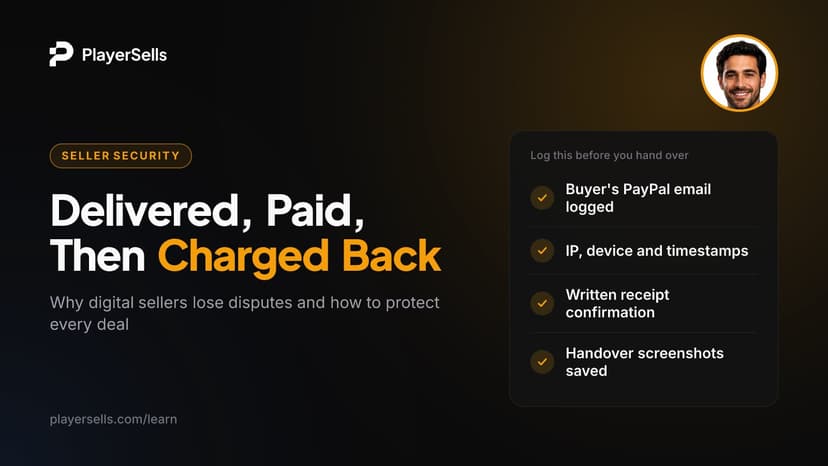
Chargeback Scams: How Digital Goods Sellers Lose Money
A chargeback scam is when a buyer receives an account or item, then reverses the payment. See why digital sellers lose disputes and which setups protect you.
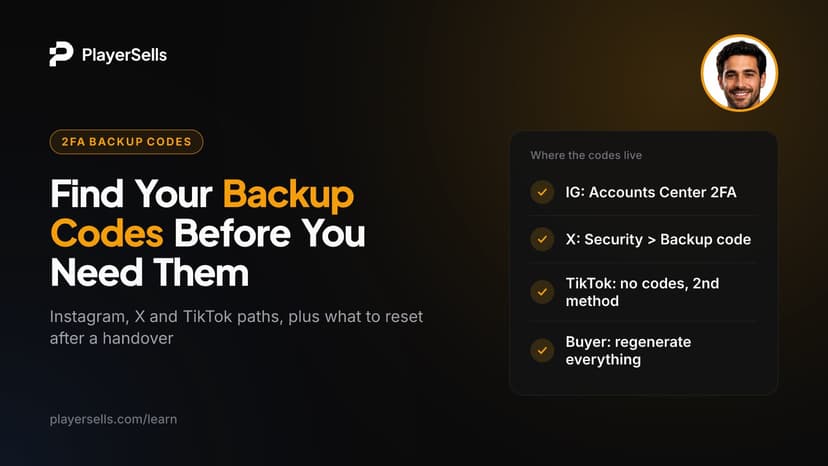
Instagram Backup Codes (and X, TikTok): Where to Find Them
Find Instagram backup codes, your X backup code and TikTok's 2FA fallback, step by step. Plus what a buyer must reset when an account changes hands.

Instagram Account Disabled? Causes, Appeals and Timelines
Instagram account disabled, suspended or restricted? Learn which state you're in, how to appeal, the video selfie check, and what the 180-day window means.