
How to Get Verified on Instagram: Meta Verified vs Notability
Two routes to Instagram's blue check: pay for Meta Verified (about $11.99-$14.99/month in the US) or request the free notability badge. Rules, ID and costs.
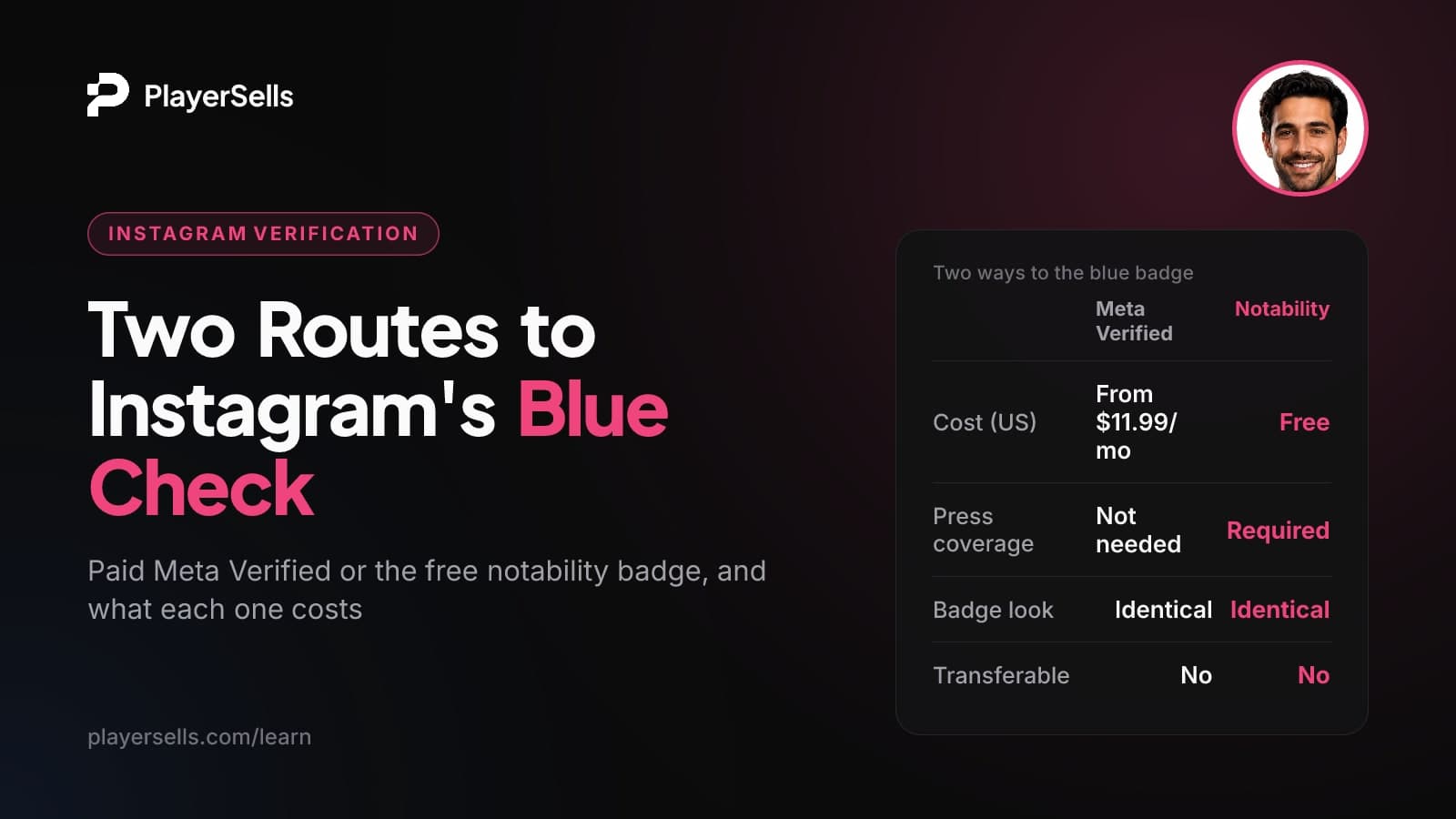
Instagram offers two routes to the blue check. The first is to pay for Meta Verified, which requires you to be 18+, live in a supported country and have a government photo ID that matches your profile. It costs about $11.99-$14.99 a month in the US. The second is to request the free notability badge if several unpaid news sources cover you. Both badges look the same, and neither can move to another account.
This guide is for creators, public figures and small brands deciding which route fits them. It is also for anyone evaluating an Instagram account that already shows a badge. It covers eligibility, Meta Verified cost as of October 2026, the ID rules, and what happens when you change your username, name, photo or owner. It also answers a question most guides skip: can a badge come with a bought account?
Key takeaways
- Instagram has two routes to the blue badge: a paid Meta Verified subscription, or a free badge for notable public figures, celebrities and brands.
- Meta Verified costs about $11.99 a month on the web and $14.99 a month in the iOS or Android app in the US, as reported by Hootsuite in July 2026, and prices vary by country.
- The free notability badge requires coverage in multiple news sources, and Instagram does not count paid or sponsored media.
- There is no official follower count for verification on Instagram.
- A notability-verified account cannot change its username, and Meta Verified subscribers may have to re-apply to change their username or date of birth.
- Instagram verification cannot be transferred to another account or owner, and Instagram's Terms of Use forbid buying or selling accounts and badges.
What are the two ways to get verified on Instagram?
You can either pay for it or qualify for it. According to Instagram's verification requirements page (accessed October 2026), you can subscribe to Meta Verified, or you can apply for the badge if you are a public figure, celebrity or brand that meets Instagram's eligibility rules.
Both routes produce the same blue check. Instagram says the badge means it has confirmed the account represents who it says it does. It is not a sign of importance, authority or expertise. When Meta Verified launched in 2023, TechCrunch reported that Meta would keep legacy notability badges, unlike Twitter, and that the old and new badges look exactly the same.
This matters. A viewer cannot tell from the profile whether a badge was earned through press coverage or bought for a monthly fee. Keep that in mind when you decide whether the badge is worth chasing, and when you judge how much trust to place in someone else's.
How does Meta Verified work, and who is eligible?
Meta Verified is a paid, auto-renewing subscription that always includes the blue badge. Under the Meta Verified Standard terms, it may also include impersonation protection, account support and more visibility. The exact benefits depend on your plan and region.
Eligibility requirements for creators and individuals
Meta's eligibility page for Meta Verified creator subscriptions lists these requirements as of October 2026:
- You are at least 18, or the age of majority where you live.
- You live in a country where Meta Verified is available.
- Your profile is an eligible type: Instagram professional creator, Instagram personal, Facebook professional creator or Facebook personal.
- You have a government-issued photo ID.
- You have not gone over Meta's limit on recent profile changes (name, photo, username, location or profile type) before applying.
That last rule catches people out. If you have just rebranded, changed your handle twice and swapped your photo, wait for things to settle before you apply. Otherwise you may be found ineligible.
The ID rules: photo ID, name matching and Advanced Protection
Meta says you may need to provide a government-issued ID, and that the ID may have to match your profile name and photo. In some regions you may also be asked for a selfie video. This is not required everywhere, so do not assume you will need one.
The Standard terms add more profile rules for Instagram. Your profile needs a photo of your face, or a photo that meets Meta's standards. It must also follow Meta's naming standards and have Advanced Protection turned on. You can switch on Advanced Protection after you pay. Buffer also lists two-factor authentication as a requirement, so turn it on before you start.
Individual vs business accounts
Most guides treat Meta Verified as one product. It is not. Meta Verified Standard is for individual accounts only, and its benefits are limited to personal, non-commercial use. Businesses need the separate Meta Verified for business plans, which are priced differently.
How to sign up for Meta Verified
- Step 1: Settle your username, display name and profile photo first, and stay under the profile-change limit.
- Step 2: Make sure your profile shows your face and your name matches your government ID.
- Step 3: Turn on two-factor authentication.
- Step 4: Start the Meta Verified sign-up on the web or in the Instagram app. Compare the price shown in each, because app sign-ups usually cost more.
- Step 5: Upload your ID, and record a selfie video if your region requires one.
- Step 6: Turn on Advanced Protection if you have not already done so.
How much does Meta Verified cost?
For individuals in the US, Meta Verified costs about $11.99 a month if you sign up on the web and $14.99 a month in the iOS or Android app, according to Hootsuite's July 2026 Meta Verified guide. Hootsuite says the higher in-app price reflects the cut Apple and Google take.
Pricing is reported inconsistently across the web, and the Meta pages we checked did not show a price. Treat the figures below as a guide, and check the price shown in your own app before you subscribe.
| Plan (US, as of October 2026) | Reported monthly price | Notes |
|---|---|---|
| Individual, web sign-up | About $11.99 | Reported by Hootsuite (July 2026) and Buffer |
| Individual, iOS or Android sign-up | About $14.99 | Higher because of app store fees |
| Business plans | Priced separately and higher | Buffer reports the most expensive plan at $349.99; other sources give different figures |
| Outside the US | Varies | Prices and benefits vary by country, and some regions are not supported |
One more cost detail: the Standard terms say buying Meta Verified on Instagram does not carry over to Facebook, and buying it on Facebook does not carry over to Instagram. If you want both, Meta's eligibility page says one subscriber can verify up to two profiles (one Instagram, one Facebook) in the same Meta account. The two profiles may need similar names and pictures.
How do you request the free notability badge?
You apply through Instagram's in-app verification request, and Instagram decides whether you are notable enough. There is no fee. The bar is high, though, and most personal accounts will not qualify.
The four criteria
Instagram's requirements page says your account must be:
- Authentic: a real person, registered business or entity.
- Unique: the only verified account for that person or business. Language-specific accounts are the exception.
- Complete: public, with a bio, a profile photo and recent activity at the time you apply.
- Notable: a well-known, highly searched person, brand or entity.
Instagram judges notability by looking for coverage in multiple news sources. Paid or sponsored media does not count, so a press release you paid to place will not help. Instagram also does not verify general-interest accounts such as meme pages. Its own example is @puppymemes.
Steps to apply
- Step 1: Choose your final username. Instagram says a notability-verified account cannot change it afterwards.
- Step 2: Make the account public, and add a bio and a profile photo. Post recently so the account shows current activity.
- Step 3: Gather links to independent, unpaid news coverage of you or your brand.
- Step 4: Submit the verification request in the Instagram app. Use accurate information only. Instagram removes badges obtained with false or misleading details and may disable the account.
- Step 5: Wait for a decision. If you are denied, build more coverage before you try again.
A September 2026 guide from the U.S. Chamber of Commerce says reviews can take up to 30 days and that you can submit a new request 30 days after a denial. It also says there is no minimum activity needed to keep the badge once you have it.
Meta Verified vs notability badge: which should you choose?
If you are covered by independent press, request the free badge first. Everyone else is choosing between Meta Verified and no badge at all. Here is how the two compare:
| Factor | Meta Verified | Notability badge |
|---|---|---|
| Cost | About $11.99-$14.99/month (US individuals) | Free |
| Main requirement | 18+, supported country, government photo ID | Coverage in multiple unpaid news sources |
| Account type | Individual (Standard); business plans are separate | Person, brand or entity |
| Extra benefits | May include impersonation protection, support, visibility | Badge only |
| Ongoing condition | Active, renewing subscription | Following Instagram's rules |
| How it looks | Blue check | Identical blue check |
| Transferable | No | No |
Is Meta Verified worth it?
It is worth it if people impersonate you, or if losing access to your account would cost you real money. In those cases, the identity check, impersonation protection and account support are the actual product, and the badge is a side effect.
It is a weaker buy if you mainly want growth. "More visibility" is listed as something the plan may include, not a promise. Since paid and earned badges look the same, the check also carries less weight with savvy audiences than it once did. Your content and engagement still do the heavy lifting. If you want a baseline before deciding, run your profile through the Instagram engagement calculator and see where you stand without a badge.
What happens to the badge if you change your username, name, photo or owner?
Changes to identity details can lock you in or force you to re-verify, and a change of owner is never allowed to carry the badge. The rules differ by route and have shifted over time, so treat this as the state of play as of October 2026.
| Change | Notability badge | Meta Verified |
|---|---|---|
| Username | Cannot be changed after verification | You may not be able to change it without re-applying |
| Display name | Instagram's blog (2021) says verified accounts cannot change the account's name | Listed as locked at launch in 2023; ID may need to match the name |
| Profile photo | No specific rule published | Listed as locked at launch in 2023; ID may need to match the photo |
| Date of birth | No specific rule published | You may not be able to change it without re-applying |
| Owner | Verification cannot be transferred | Tied to the subscriber's own ID; cannot be transferred |
| Stopping payment | No payment; can still be removed for policy violations | The badge is part of the subscription, so it does not stay active without a paid plan |
At launch, TechCrunch reported that Meta Verified users could not change their profile name, username, date of birth or photo without going through the subscription and verification process again. Meta said it was working on a way to make changes without cancelling. Meta's current page uses softer wording: you "may not be able to" change your username or date of birth without re-applying. Either way, plan your identity before you pay.
Can a verified badge come with a bought account?
No, not legitimately. Instagram's Terms of Use forbid buying, selling or transferring any account or any part of one, including the username. They also forbid collecting or using other users' login credentials or badges. Instagram's verification help page says verification cannot be moved to a different account.
Each route has its own reason the badge cannot follow a sale. A Meta Verified badge rests on the subscriber's own government ID, and its benefits are for personal, non-commercial use. A notability badge is tied to the specific person or brand Instagram checked. The U.S. Chamber of Commerce guide adds that Instagram removes badges people try to advertise, transfer or sell.
Instagram's official blog warns that hackers take over verified accounts to sell the badge and the following, and says Instagram acts against anyone selling verified accounts, with regular sweeps on and off the platform.
So if you are evaluating an account, treat a blue check as part of the seller's identity, not as an asset you are buying. Price the account on its audience, content and engagement. Assume the badge will not survive the handover. We looked at how much badges change prices across platforms in what verification is actually worth when you buy an account.
Buying or selling an Instagram account safely on PlayerSells
Instagram's terms restrict account sales, so any transfer carries platform risk that no marketplace can remove. What a marketplace can reduce is the deal risk: paying for something that never arrives, or handing over an account and never getting paid.
On PlayerSells, every listing is reviewed by a person before it goes live. The buyer pays PlayerSells, and the money is held until the buyer confirms the account was delivered as described. Every deal follows the same sequence: offer sent, accepted, payment pending, paid, delivered, buyer confirmed, completed. Either side can open a dispute before completion. A human moderator reviews it, and the money stays held while the dispute is open. The full flow is on how it works, and fees are on the pricing page.
Some practical advice for both sides:
- Sellers should not advertise a badge as part of the deal, since badges cannot be transferred and Instagram removes ones that are sold.
- Buyers browsing Instagram accounts for sale should check audience quality with the Instagram fake follower checker before making an offer.
- After delivery, buyers should secure the login details right away. Our guide on changing the Instagram email and phone on a bought account walks through it.
Frequently asked questions
How many followers do you need to get verified on Instagram?
You do not need a set number of followers. Instagram publishes no follower threshold for either route. The notability badge depends on press coverage and how widely you are searched, while Meta Verified depends on age, country and a matching ID. Follower numbers quoted elsewhere are anecdotes, not requirements.
Can you get verified on Instagram without being famous?
Yes, through Meta Verified, if you are 18+, live in a supported country and can match a government photo ID to your profile. The free badge is the one that requires notability. Neither route makes you more notable, because the badge confirms identity, not importance.
What happens if I cancel Meta Verified?
The badge is a benefit of an auto-renewing subscription, so it does not stay active without a paid plan. Instagram says accounts with older notability badges can still subscribe to Meta Verified, but its pages do not spell out what happens to a legacy badge if you later cancel.
Can a business account get Meta Verified?
Not on the Standard plan. Meta Verified Standard is for individual accounts and personal, non-commercial use. Businesses need the separate Meta Verified for business plans, which Hootsuite says are priced separately and higher.
How long does Instagram verification take?
For the notability badge, the U.S. Chamber of Commerce reports reviews can take up to 30 days, with a 30-day wait before you can reapply after a denial. Meta does not publish a standard review time for Meta Verified, so timing varies.
Does Meta Verified on Instagram also verify my Facebook profile?
Not automatically. The terms say a subscription bought on Instagram does not carry over to Facebook. Meta's eligibility page says one subscriber can verify up to two profiles (one Instagram, one Facebook) in the same Meta account, and the profiles may need similar names and pictures.
Which route should you take?
If independent news outlets already cover you, request the free badge. Lock in your username first, because you cannot change it afterwards. If you are a creator dealing with impersonators or worried about account recovery, Meta Verified is a reasonable monthly cost. If you only want reach, spend that money on content instead.
Whichever route you choose, Instagram checks for a complete, consistent profile. Start by tightening your bio with the Instagram bio optimizer, then apply once your name, photo and handle are final.
Free tools for this topic

Published by the PlayerSells editorial team. Data comes from PlayerSells marketplace records and our own crawlers. About PlayerSells · Editorial policy
Related Articles
Continue learning with these related guides.
Twitch Affiliate Requirements vs Partner, and Transfers
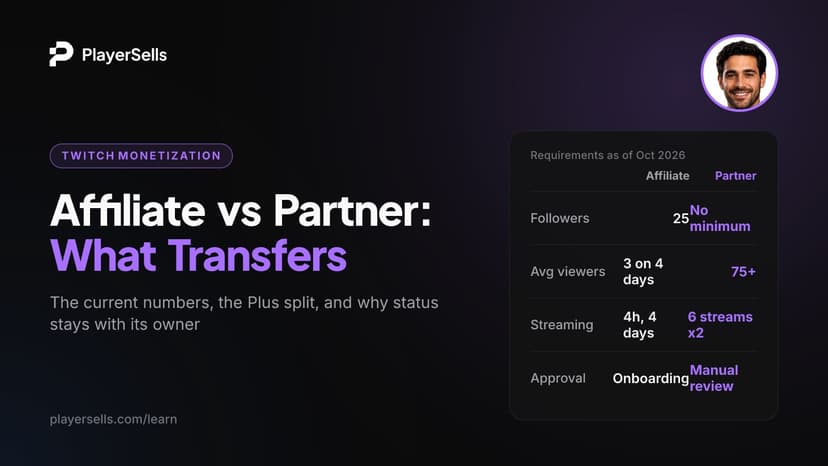
Twitch Affiliate requirements are 25 followers, 4 hours, 4 days and 3 average viewers. Partner rules, payouts and why status won't transfer to a buyer.
Telegram Stars Explained: How Channels Earn and Withdraw
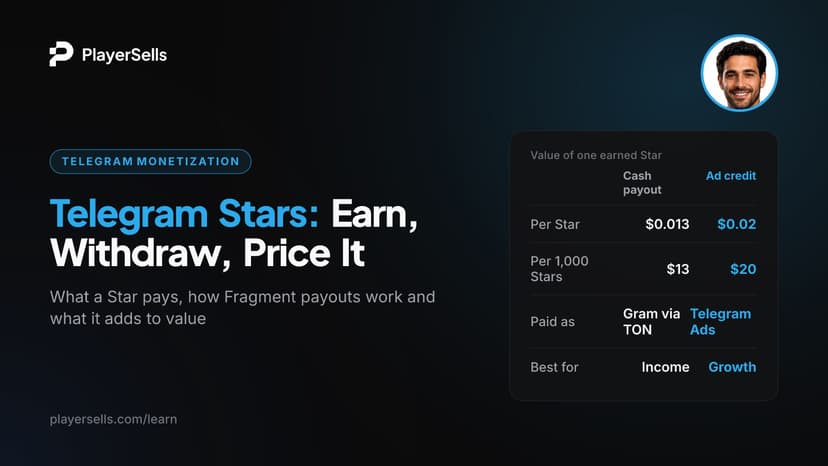
Telegram Stars pay channel owners $0.013 each in cash or $0.02 as ad credit. Learn how to earn, withdraw via Fragment, avoid holds and price Stars income.
How Many Followers on TikTok to Get Paid? Every Payout Route
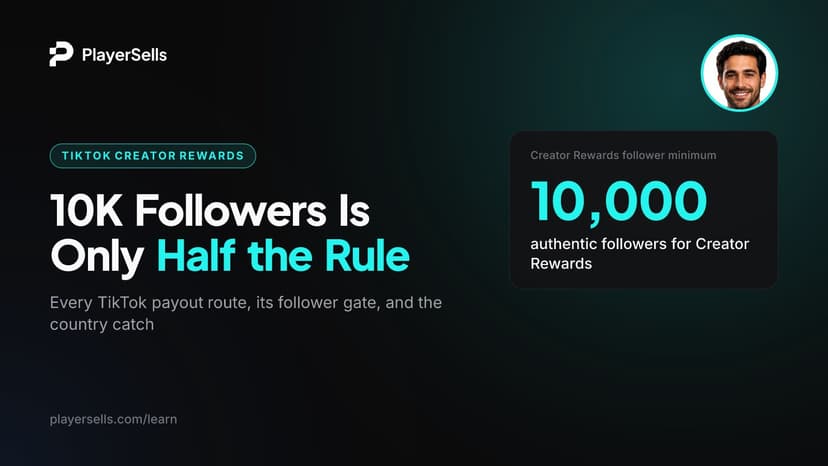
You need 10,000 followers and 100,000 views in 30 days for TikTok Creator Rewards, but LIVE and US Shop start at 1,000. See every route and the country rules.