
How to Change TikTok Username: 30-Day Rule and Old Handles
Change your TikTok username in the app or on desktop. The 30-day rule, allowed characters, what happens to your badge and old link, and new-owner steps.
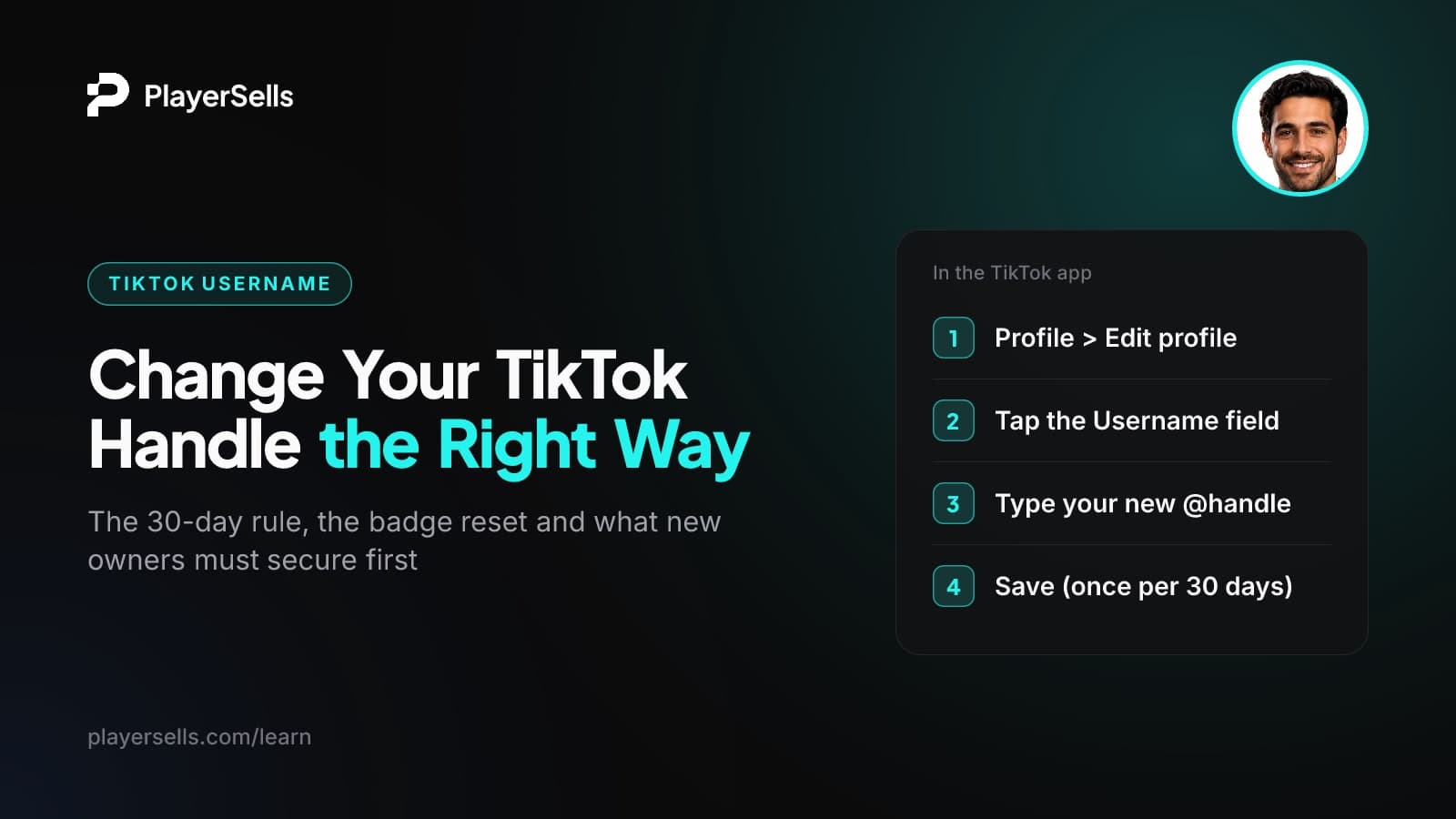
To change your TikTok username, open the app, go to Profile > Edit profile > Username, type the new handle and tap Save. On a computer, go to tiktok.com, click your profile picture, choose View Profile, then Edit profile. As of October 2026, TikTok allows one username change every 30 days, and a verified account loses its badge when the handle changes.
This guide is for creators who are rebranding, brands tidying up a handle, and anyone who has just taken over a TikTok account from someone else. It covers the exact tap paths, the character rules, the 30-day limit (and why the workarounds don't hold up), what happens to your old link and verified badge, and the order a new owner should change email, phone, password and username.
Key takeaways
- In the TikTok app, you change your username under Profile > Edit profile > Username, and on desktop under tiktok.com > profile picture > View Profile > Edit profile.
- TikTok's Help Center says a username can be changed only once every 30 days, and there is no official way to skip that wait.
- TikTok usernames can contain only letters, numbers, underscores and periods, and a period cannot be the last character.
- Changing the username of a verified TikTok account removes the blue check, and the owner has to apply for verification again.
- You cannot change a TikTok username on TikTok Mobile Web, so use the app or a desktop browser instead.
- A new owner of a TikTok account should secure the email, phone number, password and two-step verification before touching the username, and TikTok says a new owner needs their own verification.
How do you change your TikTok username in the app?
Open the Profile tab, tap Edit profile, tap Username, type the new handle and save. The steps below follow published walkthroughs of the app, and labels can shift slightly between app versions and regions.
- Step 1: Open TikTok and tap the Profile tab.
- Step 2: Tap Edit profile on your profile page.
- Step 3: Tap the Username field. This is the @handle, not the name in bold at the top of your profile.
- Step 4: Delete the old handle and type the new one. If the name is already taken or uses characters TikTok doesn't allow, it won't save.
- Step 5: Tap Save. Your profile now shows the new @handle, and your 30-day clock starts again.
If Save is greyed out or you see an error, skip to the troubleshooting section below. The most common cause is simply that you already changed the handle within the last 30 days.
Can you change your TikTok username on a computer?
Yes. According to TikTok's Help Center, you visit tiktok.com, click your profile picture, select View Profile, click Edit profile, click your username and enter the new one. Desktop is handy if you manage a brand account from a laptop or want to avoid typos on a small keyboard.
Why doesn't it work in a mobile browser?
TikTok says you cannot change your username on TikTok Mobile Web, the version of the site you get when you open tiktok.com in Safari or Chrome on a phone. If the option is missing, that's why. Switch to the app, or open tiktok.com in a browser on a computer.
What are TikTok's username rules?
As of October 2026, a TikTok username can use only letters, numbers, underscores and periods, and it cannot end with a period. Anything outside that set, including spaces, hyphens and emoji, gets rejected.
A few quick examples make the rule clear:
- maya.bakes_ works: letters, a period in the middle and an underscore at the end.
- maya.bakes. fails: a period cannot be the last character.
- maya-bakes fails: hyphens are not on the allowed list.
- maya bakes fails: spaces are not allowed in a handle.
Username vs account name: which one are you changing?
TikTok treats these as two separate fields. The username is the @handle people use to tag or find you. The account name is the name shown at the top of your profile. Many blogs and creator videos call the account name your "display name" or "nickname", which is where most of the confusion comes from.
| Field | Also called | What it does | Change limit (as of October 2026) |
|---|---|---|---|
| Username | @handle | How people tag and search for you; it forms your profile link (tiktok.com/@username) | Once every 30 days, per TikTok's Help Center |
| Account name | Display name, nickname, name | The name shown on your profile above your handle | Widely reported as 7 days; no TikTok Help Center page confirms this |
| Profile link | Profile URL | The web address people click from other sites | Follows the username, so it changes whenever the handle does |
Before you lock in a new handle, it helps to write the bio and account name that go with it. The free TikTok bio optimizer lets you test how the whole profile reads together, so you don't burn a 30-day change on a handle that clashes with the rest.
How often can you change your TikTok username?
Once every 30 days. That is the rule stated on TikTok's "Unable to change username" help page as of October 2026. After you save a new handle, the field locks until the 30 days pass.
Treat every change as a month-long commitment. Check that the new handle is free on the other platforms you use, say it out loud, and check how it looks in a caption before you save it.
How often can you change your account name?
The account name appears to have its own cooldown. Creator videos and blogs widely repeat a 7-day wait, but we found no TikTok Help Center page confirming it as of October 2026. If the field won't let you edit it, check the app for a message about when it unlocks.
Can you change your TikTok username before 30 days?
There is no official way. Some guides still push a trick where you change your phone's date and time to fool the app, and even sites that publish it admit it may no longer work. Reinstalling the app is another unofficial workaround some guides mention, and it is not an official way around the limit either.
If you have a genuine reason, such as a handle that exposes personal information, you can contact TikTok through Settings and privacy > Report a problem and explain. TikTok support may or may not help, so don't plan a launch around getting an exception.
What happens to your old handle, profile link and verified badge?
Your profile link changes to the new handle, you should assume the old handle no longer leads to you, and a verified badge is removed. The account itself stays the same: changing the username edits a field on your existing account rather than creating a new one.
| Item | What happens | What to do |
|---|---|---|
| Profile link | Becomes tiktok.com/@newhandle. TikTok has not confirmed that old links redirect. | Update every place that links to the old URL. |
| Old @handle | TikTok may hold it briefly, but there is no guaranteed window, and someone else could register it later. | Don't assume you can reclaim it. Be sure before you switch. |
| Old @mentions elsewhere | Tags and text on other sites still say the old handle. | Ask partners and collaborators to update tags in their bios and pinned posts. |
| Verified badge | Removed by TikTok when the username changes. | Reapply for verification after the change. |
| Followers and videos | Stay on the same account. TikTok's pages on username changes don't describe any loss. | Tell your audience about the new handle in a video or your bio. |
The places people forget to update are usually outside TikTok: link-in-bio tools, Instagram, X and YouTube bios, your website footer, email signatures, media kits sent to brands, and anything printed with a QR code. Make a list before you change the handle so nothing points to a dead or reassigned profile.
Does changing your username remove the verified badge?
Yes. TikTok's Creator Academy says that if a verified account changes its username, TikTok has to remove the badge, and the owner must apply again. A verified creator should treat a handle change as starting verification over from scratch.
If your account is verified, changing the @username removes the blue check. Switching between a business and personal account also requires a new verification application, according to TikTok.
Two more points from the same page matter if you're judging someone else's account. Only TikTok can apply verified badges, and a real badge always appears as a blue check next to the username. A "verified" symbol typed into a bio or account name means nothing. TikTok also says there is currently no way to have a badge removed on request.
Took over a TikTok account? Secure it in this order
Lock down the login first and change the username last. If you rename the account while the previous owner's email and phone are still attached, you've used your 30-day change and they can still reset the password.
TikTok's Terms of Service set the rules on whether an account can be transferred, so read the current version before any deal. We cover what sellers and buyers face in how to sell a TikTok account: the transfer rules and real risks. TikTok's verification page does acknowledge that accounts can change hands, and it says the new owner needs their own verification.
- Step 1: Change the email address to one only you control, and confirm it with the code TikTok sends.
- Step 2: Change the phone number. A linked number can be used to log in and for two-step verification, so a number you don't own is a back door.
- Step 3: Set a new, unique password from the account's security settings.
- Step 4: Check that two-step verification codes now arrive on your phone or email, not the previous owner's.
- Step 5: Log out and back in to prove the new details work end to end.
- Step 6: Only now change the username if you want to, then apply for verification under your own name if the account qualifies.
The same order applies on other platforms. Our guide to changing Instagram email and phone on a bought account follows the same logic for Instagram.
How to change the email on TikTok
Go to Profile > the three-line menu > Settings and privacy > Account > Account information (some versions say User information) > Email. Enter the new address, and TikTok sends a verification code to it. The change saves once you type in that code. Menu labels vary by region and app version, so look for the closest match if yours differs.
How to change your phone number on TikTok
Go to Profile > three-line menu > Settings and privacy > Account > Account information > Phone number > Change phone. As Dexerto's walkthrough describes it, you first confirm with a code sent to the original number, then enter the new number and confirm a second code sent there. This guide dates from 2023, so screens may look slightly different now.
The standard route needs access to both phones. Without the old number, the codes go somewhere you can't see them, and TikTok keeps sending sign-in codes to that old number until it is replaced. In that case, use Settings and privacy > Report a problem in the app and ask TikTok support for help. For a new owner, the cleaner fix is to have the previous owner complete the phone change with you before the deal closes.
TikTok Shop sellers: Seller Center is separate
If the account runs a TikTok Shop, the Seller Center login has its own email and phone. On the UK Seller Center, TikTok Shop Seller University says to go to My Account > Seller Profile > Account information, click Change next to Email Address or Phone number, and verify with a code sent to the registered phone or email. Updating the app account does not update Seller Center, and paths can differ by country.
Why won't TikTok let you change your username?
Most failed changes come down to one of five causes. Work through them in this order:
- You changed it within the last 30 days. The field stays locked until the cooldown ends.
- The handle breaks the character rules. Remove spaces, hyphens and emoji, and make sure it doesn't end with a period.
- Someone else already has it. Try a variation with an underscore, a period or a short word added.
- You're on TikTok Mobile Web. Switch to the app or a desktop browser.
- You're editing the wrong field. The account name and the username are separate. Make sure you tapped Username.
If none of these apply, update the app and try again, then use Report a problem if it still fails.
Buying or selling a TikTok account on PlayerSells
Login handover is the riskiest step in an account deal, which is why the order above matters. On PlayerSells, the buyer pays PlayerSells, the money is held in escrow, and the seller is paid only after the buyer confirms the account was delivered as described. Every listing is reviewed by a person before it goes live.
Each deal moves through a fixed sequence: offer sent, accepted, payment pending, paid, delivered, buyer confirmed, completed. In practice, buyers should confirm only after the email, phone, password and two-step verification are in their name. Keep the original handle until then, so the account still matches the listing if you need to open a dispute. Either side can open one before completion, a human moderator reviews it, and the money stays held while it is open. The full flow is on how PlayerSells works, and fees are on the pricing page.
If you're browsing, start with TikTok accounts or niche TikTok theme pages, and read what drives TikTok account prices before you make an offer.
Frequently asked questions
Can someone else take my old TikTok username?
Possibly, yes. TikTok may hold a released handle for a short time, but no official source confirms a fixed window as of October 2026. Assume that once you let a handle go, it could be registered by someone else.
Will my old TikTok profile link still work after I change my username?
Don't count on it. Your profile URL changes to the new handle, and TikTok has not confirmed that tiktok.com/@oldhandle redirects to you. Update every bio, website and link-in-bio tool that uses the old address.
Do I lose followers if I change my TikTok username?
No. Changing the username edits the handle on the same account, and TikTok's help pages on username changes don't describe any loss of followers or videos. The real risk is people who search for your old handle and can't find you, so announce the change.
Does switching to a business account affect my verified badge?
Yes. TikTok says switching account type, from business to personal or the reverse, requires a new verification application. Treat it like a username change and expect to reapply.
Can I use spaces or emoji in my TikTok username?
No. A TikTok username can contain only letters, numbers, underscores and periods, and it can't end with a period. If you want a more expressive name, put it in the account name field instead.
How do I change my TikTok phone number if I lost the old phone?
Contact TikTok support through Settings and privacy > Report a problem. The standard in-app change sends a code to the original number, so it won't work without that phone. Explain the situation and follow whatever verification TikTok asks for.
Bottom line
Changing your TikTok username takes a few taps in the app or on desktop, but each change locks you in for 30 days, removes any verified badge and changes your profile link. Pick the handle carefully, update every external link the same day, and reapply for verification if you had it.
If you've just taken over an account, change the email, phone, password and two-step verification first and the username last. Before any deal, read up on TikTok's transfer rules and the real risks so you know what you're agreeing to.
Free tools for this topic

Published by the PlayerSells editorial team. Data comes from PlayerSells marketplace records and our own crawlers. About PlayerSells · Editorial policy
Related Articles
Continue learning with these related guides.

Instagram Monetization Requirements and Pay per 1M Views
Instagram monetization requirements for Gifts, Subscriptions, Badges and Bonuses, where to check eligibility, and what 1 million views actually pays you.
Riot ID Change: Cooldown, Tagline Rules and Account Security
How to change your Riot ID and tagline, the 90-day free cooldown, blocked region tags, and how to secure a League or Valorant account's email and 2FA.

Telegram Ads Revenue Share: How Channel Owners Get Paid
Telegram Ads pays public channels with 1,000+ subscribers 50% of ad revenue in TON via Fragment. Learn how to qualify, cash out and value that income.