
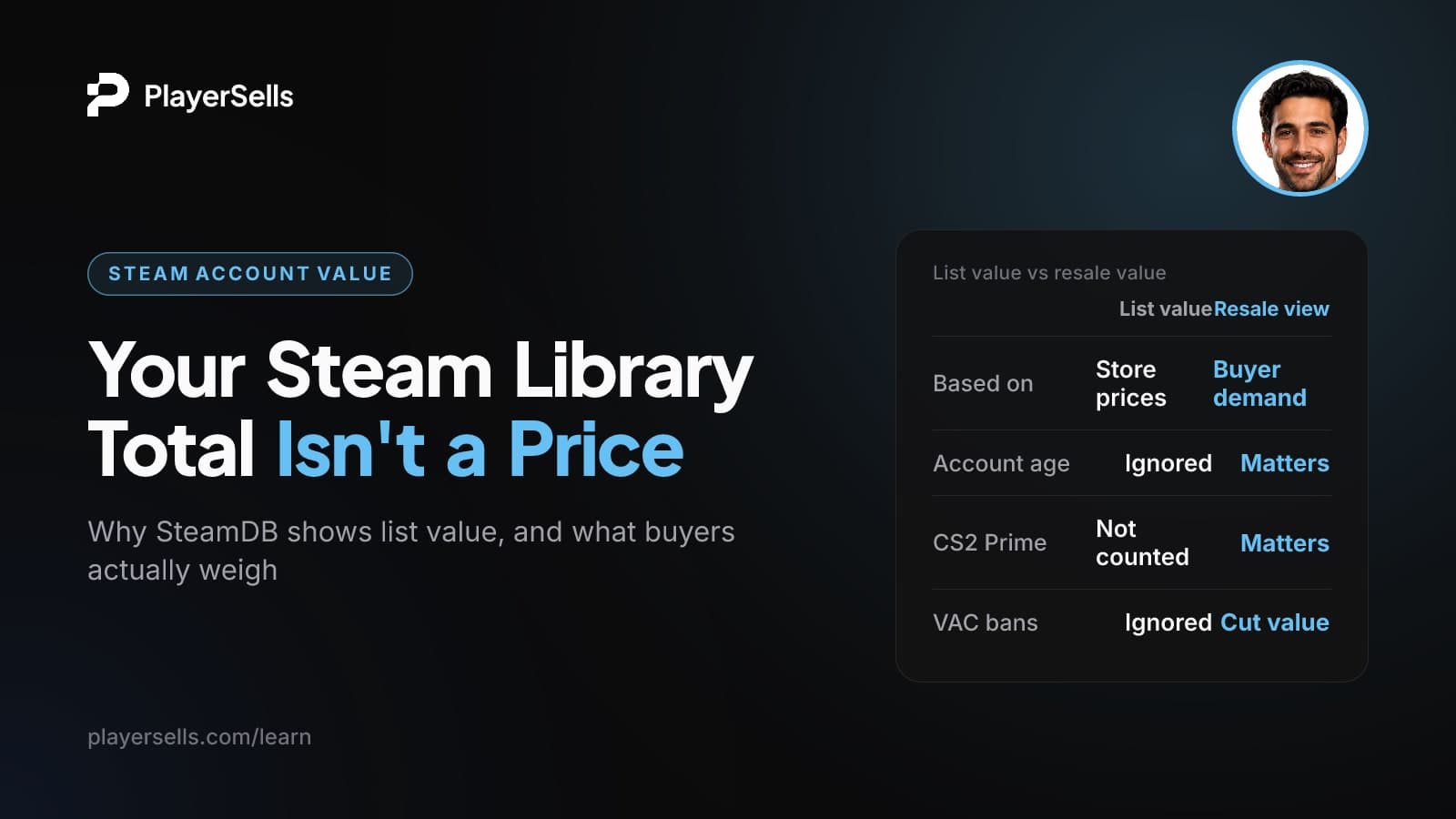
How Much Is My Steam Account Worth? List vs Resale Value
SteamDB shows what your Steam library cost, not what anyone would pay. Learn the three numbers, what really moves resale value, and Valve's rules.
Your Steam account has no official resale price. SteamDB and similar calculators add up what the games in your library cost on the Steam store, using either today's prices or each game's historical low. That gives you a list value. It is not what you actually spent, and it is not what a buyer would pay.
This guide is for Steam users who ran their profile through a calculator and want to know what the number means. It covers how the calculators work, the three different "values" your account has, what Valve's terms say about selling, and which factors (age, CS2 Prime, inventory, bans) change how other people value an account.
Key takeaways
- SteamDB's calculator reports the store value of the games you own, not your real spending and not a resale price.
- The SteamDB total changes depending on whether you pick "Lowest prices" or "Today's prices", and on which of Steam's 41 currencies your account uses.
- Valve's Steam Subscriber Agreement says accounts are "strictly personal" and may not be sold, rented out or transferred.
- Steam games are licensed, not sold, so a large library total does not convert into resale value the way a shelf of physical games would.
- Account age, CS2 Prime status, inventory items and ban history matter far more to how people judge an account than the library total does.
- Steam Support says VAC bans are permanent and cannot be removed by Support, except bans issued in error, which are lifted automatically.
How do Steam account value calculators work?
They look up every game your account owns and add up the store prices. According to the SteamDB calculator page (as of October 2026), it applies Steam store prices to the games on your profile and offers two views. "Lowest prices" uses each game's historical minimum, which is the least you could have paid. "Today's prices" uses current store prices, including any discounts running that day.
A few details shape the total:
- Free-to-play games and demos are left out entirely.
- SteamDB supports all 41 Steam currencies and does not convert between them, so the same library shows a different total in a different region.
- Anything played for under 5 minutes counts as "never played" in its "pile of shame" figure.
- It accepts a SteamID, vanity URL or profile URL. It does not take your login username, so you never need to hand over a password.
SteamDB is upfront about what the number is. The calculator page says it shows library value at current game prices, not what you spent, and it points users to Steam's own spending page and the "TotalSpend" figure for real spending.
Other calculators work the same way. SteamCalculator.com shows an average account value of about $1,886 across roughly 676,000 accounts, with around 82 apps per account (as of October 2026). That average is a sum of current store prices. Nobody paid $1,886 for those accounts, and nobody would necessarily pay it to buy one.
List value vs lowest-price value vs what you actually spent
Your account has at least three different dollar figures, and most calculator roundups blur them together. Here is how they differ.
| Figure | Where it comes from | What it counts | What it is good for |
|---|---|---|---|
| List value | SteamDB "Today's prices" | Current store price of every paid game you own, discounts included | Bragging rights, rough sense of library size |
| Minimum value | SteamDB "Lowest prices" | Each game's lowest recorded price | A realistic floor for what the library cost a patient buyer |
| Actual spend | Steam's official spending page ("TotalSpend") | Money you really put into the account | Budgeting, understanding your own habits |
| Inventory value | Community Market items (not in SteamDB totals) | Skins, cases and other tradable items | Separate from the library entirely |
If you have seen older guides say SteamDB "adds up the lowest recorded price of every game," that matches SteamDB's FAQ (indexed around November 2024). The current calculator page gives you both modes, so the total you see depends on which one you select.
Notice what none of these figures includes: anything about who would want the account or what condition it is in. That is the gap between list value and market value.
Why isn't your library value the same as resale value?
Because you don't own the games in a way you can resell. Under the Steam Subscriber Agreement, Steam content and services are "licensed, not sold", and the license gives you no title or ownership. A physical game collection has a resale market. A Steam library is a bundle of licenses tied to one account.
Valve also forbids moving that account to someone else. The Steam Subscriber Agreement (as of October 2026) says your account, including its history and subscriptions, is "strictly personal." You may not sell it, charge others for the right to use it, or otherwise transfer it, and you may not share your password or let others use the account unless Valve authorizes it.
Valve's terms prohibit account sales, and Valve can delete accounts used by someone else. PCWorld reported in May 2024 that this applies even if the new user changes the password and payment details. Any market value a Steam account has exists outside Steam's rules.
That is the honest middle ground. Forum threads that say an account is "worth nothing" are right that Steam gives it no transferable value. Calculator sites that present a big dollar figure as "what your account is worth" are ignoring the terms completely. PCWorld also notes that accounts are openly offered for sale online despite the policy, and that questions like inheritance may depend on local law (US state law, for example), so Valve's position is not the final word in every country. But the risk to anyone acquiring an account is real and does not go away.
What actually changes how a Steam account is valued?
When people judge an account, they look at features the store total ignores. Here is what matters and how to check each one yourself.
| Factor | How to check it | Effect on perceived value |
|---|---|---|
| Account age | Years of Service badge on your profile | Older accounts are seen as more established |
| CS2 Prime | Counter-Strike 2 in your library and in-game status | Adds value for CS2 players beyond the library total |
| Inventory | Steam inventory and Community Market listings | Separate figure, not counted in library totals |
| Steam level and badges | Profile badge page | Cosmetic, partly driven by age |
| VAC or game bans | Profile ban notice | Lowers value, and VAC bans are usually permanent |
| Original email and purchase records | Your own account settings and receipts | Whoever holds them can usually recover the account |
Account age and the Years of Service badge
The fastest way to answer "how old is my Steam account" is the Years of Service badge. According to 80.lv's report on the badge, every Steam user receives it when the account turns one year old, it updates each year, and it shows both the account's age and its exact registration date.
The oldest accounts carry extra weight. The first known Steam account (ID "Steven") reached 20 years in September 2023, along with hundreds of thousands of other early profiles. For the 20th anniversary, Valve gave the very first accounts a special badge in Steam's original army-green colors, held by about 146 accounts at launch in 2023, according to SteamDB at the time. That count has probably changed since.
CS2 Prime status
Counter-Strike 2 is free to play, so SteamDB leaves it out of your library value. But the Prime Status Upgrade is a real purchase: the Counter-Strike 2 store page lists it at $14.99 (US price, as of October 2026) and marks it as not eligible for a refund. Prime players are matched with other Prime players and can receive Prime-exclusive souvenir items, item drops and weapon cases.
Dot Esports describes Prime as the one-time upgrade that unlocks Competitive and Premier modes, a verified matchmaking pool and access to FACEIT. For a CS2 player, that access is the point. An account with Prime matters to them in a way the library total never reflects.
Inventory and Community Market items
Your inventory is a completely separate number from your library. SteamDB-style totals leave items out. Some newer calculators blend game prices with CS2, TF2 or Dota 2 skin values into one "estimated account value," which inflates the headline figure and mixes two very different things.
Keep them apart in your head. Games are licenses locked to the account. Tradable items are a different category, with their own prices on the Steam Community Market.
Rare, delisted and early-era games
Calculators value games at store prices, so they say little about titles that are unusual or tied to Steam's early years. How much anyone cares about those depends on the individual game and the individual buyer. There is no neutral published price list for them, so treat any confident figure you see online with suspicion.
Steam level, badges and profile extras
Level is partly a function of age. The Steam community widely documents that each Years of Service badge level is worth 50 more XP than the last: 50 XP at 1 year, 500 XP at 10 years and 1,000 XP at 20 years. You can confirm the XP on your own badge page. A high level looks impressive, but on its own it is cosmetic.
Original email and recovery risk
Whoever controls the original email address and the purchase records can usually recover a Steam account through Steam Support. That is why the history behind an account matters so much to anyone thinking about it, and why it is a weak point in any transfer. The exact recovery process is set by Steam Support, so check its current help pages rather than relying on second-hand advice.
How do VAC bans affect a Steam account's value?
They lower it, and they rarely go away. The Steam Support article on Valve Anti-Cheat says VAC bans are "permanent, non-negotiable, and cannot be removed by Steam Support." The one exception: a VAC ban issued in error is removed automatically.
A VAC ban is applied when VAC detects known cheats on a computer that connects to a VAC-secured server. The user is then banned from playing that game on VAC-secured servers going forward. Server admins can ban players from their own servers, but they cannot issue VAC bans.
The damage can spread beyond one game. Valve's Developer Community wiki says a VAC ban in any Source game except CS:GO removes every item from the player's Team Fortress 2 inventory, cuts off the TF2 Store and item drops, and Steam Support cannot restore those items. So a ban can erase inventory value that a calculator would never have shown in the first place.
How to check your Steam account's value, spending and age
You can pull every number in this article yourself in a few minutes, without sharing your password with anyone.
- Step 1: Copy your Steam profile URL, vanity URL or SteamID. Make sure your game details are visible so calculators can read your library.
- Step 2: Paste it into the SteamDB calculator. Note the total under "Today's prices," then switch to "Lowest prices" and note that figure too.
- Step 3: Write down which currency the total is in. Compare only with accounts in the same currency.
- Step 4: Follow SteamDB's pointer to Steam's official spending page and find the "TotalSpend" figure for what you actually paid.
- Step 5: Open your profile badges and find the Years of Service badge for your registration date and account age.
- Step 6: Check your profile for any VAC or game ban notice, and look at your inventory separately from your library.
You will end up with a list value, a minimum value, your real spend, your account age and your ban status. That is a far more honest picture than any single "account worth" number.
Buying and selling Steam items on PlayerSells
Valve's terms rule out account sales, but tradable items are a separate category. PlayerSells is an escrow-protected marketplace that covers Steam items such as CS2 and Rust skins, alongside social media and gaming accounts on other platforms. You can browse Steam items, look at Rust skins specifically, or list skins for sale.
Every listing is reviewed by a person before it goes live. The buyer pays PlayerSells, the money is held, and the seller is paid only after the buyer confirms the item was delivered as described. Each deal moves through a fixed sequence (offer sent, accepted, payment pending, paid, delivered, buyer confirmed, completed), and either side can open a dispute before completion. A human moderator reviews disputes while the money stays held. How PlayerSells works walks through each stage, and fees are listed on the pricing page.
If you also run social accounts, our free account valuation tool and the guide to what social media accounts actually sell for cover platforms where the market works very differently.
Frequently asked questions
Is the SteamDB calculator accurate?
Yes, for what it measures. It accurately totals the store prices of the paid games you own, in your account's currency, using either current or historical-low prices. It is not designed to measure your real spending or what someone would pay for the account, and SteamDB says so on the page.
How do I see how much money I've spent on Steam?
Use Steam's official spending page and look for the "TotalSpend" figure, which SteamDB links to from its calculator. That number reflects money you actually put into the account. It will usually differ from the SteamDB total, because you likely bought many games on sale or in bundles.
Can Valve ban you for selling your Steam account?
Yes, Valve can act against accounts that break its terms. The Subscriber Agreement forbids selling or transferring an account, and PCWorld reported that Valve can delete an account if someone else logs in with your credentials, even if they change the password and payment details. There is no safe version of this under Steam's rules.
Is it legal to sell a Steam account?
Selling breaks Valve's Subscriber Agreement, which is the contract you accepted when you created the account. Whether it has wider legal consequences depends on where you live, and PCWorld and GamingOnLinux note that related questions like inheritance can turn on local law. The practical risk is the account being deleted, taking every license with it.
Does CS2 Prime stay with the account?
Yes, it stays on the Steam account it was bought on, like other Steam licenses, and it is not refundable. That is why Prime matters to CS2 players when they judge an account. The account itself still cannot be sold or transferred under Valve's terms.
Do Steam level and badges add value to an account?
They add appearance more than substance. A high level and old Years of Service badge signal an established, long-running account, and the rare 20th-anniversary badge is notable. But anyone focused on playing will care more about Prime, inventory and a clean ban record.
What makes a Steam account valuable?
Mainly the things a calculator leaves out: account age, CS2 Prime, tradable inventory, notable early titles and a clean ban history. The library total is one input among several. Remember that Valve does not allow accounts to be sold, so any market value sits outside Steam's rules.
Bottom line: what your Steam account is really worth
Treat the SteamDB total as a list price for licenses you can't resell, not as cash value. If you want an honest picture, record all three numbers (today's prices, lowest prices and TotalSpend), check your Years of Service badge and ban status, and keep inventory separate from the library.
If your real interest is the items on your account, remember that they are a separate category from the account itself. Start by browsing Steam items on PlayerSells to see how escrow-protected skin trades work.

Published by the PlayerSells editorial team. Data comes from PlayerSells marketplace records and our own crawlers. About PlayerSells · Editorial policy
Related Articles
Continue learning with these related guides.

How much it costs to buy a Twitter account: real 2026 bands
How much does it cost to buy a Twitter account? Real 2026 price bands from 111 sold X listings, and why the asking price is not the market price.

Buy a Twitter account with 10k followers, or a smaller tier?
Buy a Twitter account with 10k followers or go smaller? Closed-deal data on sell-through, price per 1K and negotiation shows which tier fits.
X Creator Revenue Sharing is ending: what accounts are worth
X Creator Revenue Sharing is ending September 7, 2026. See what a bought X account is really worth now, priced from closed sales, not asking prices.